Capture automatically
Keep useful copied content while respecting pause rules, ignored apps, and per-type recording switches.
CLIPBOARD HISTORY
ScenesFlow keeps copied text, code, links, colors, images, and files on your Mac, with fast search, previews, favorites, and reuse.
Keep useful copied content while respecting pause rules, ignored apps, and per-type recording switches.
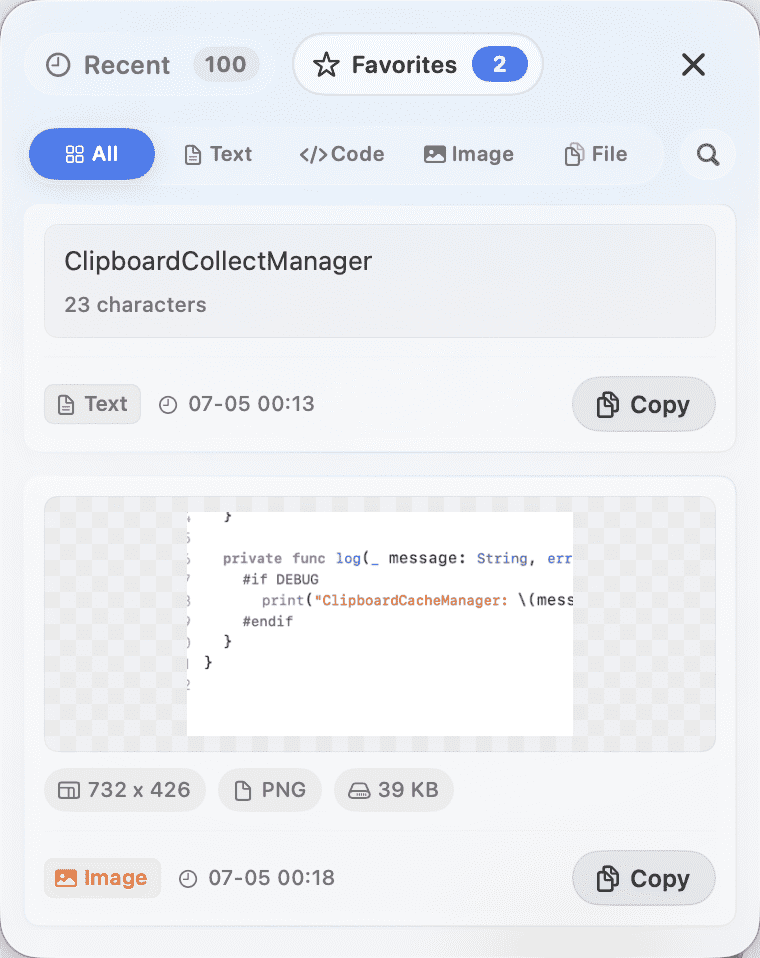
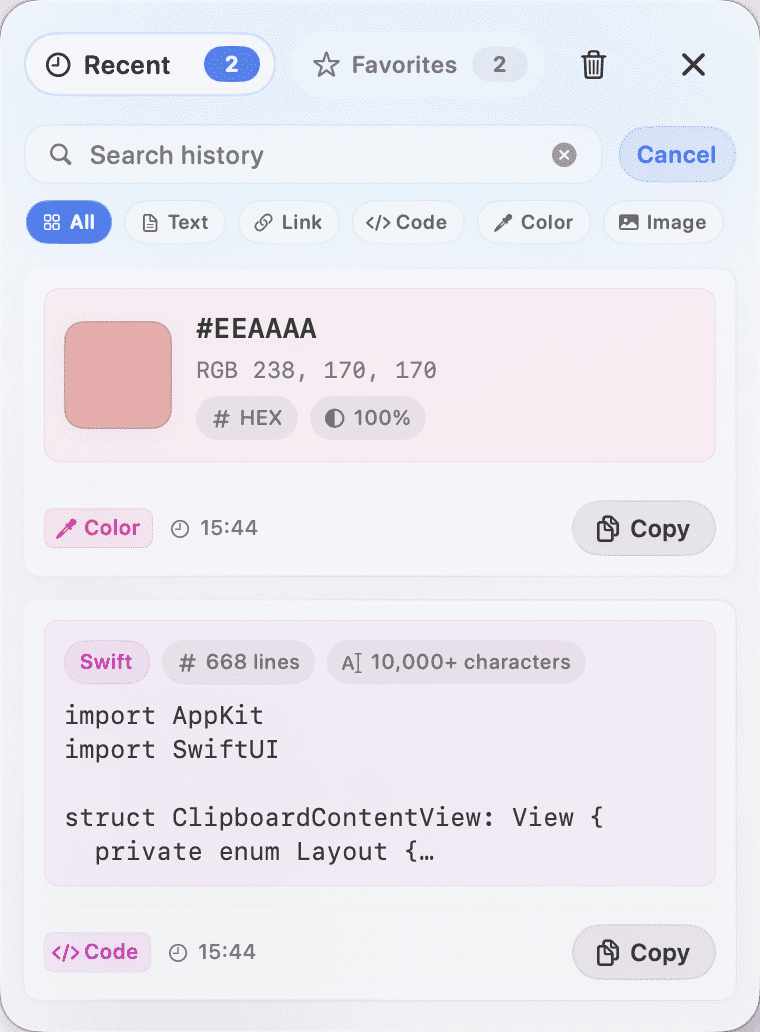
Show text, code, links, colors, images, files, folders, and file groups with type-specific summaries.
Search across titles, content, paths, domains, file names, and color values.
Copy, favorite, preview, delete, reveal in Finder, or open links only after confirmation.
Plain text summaries with character counts, copy, and preview.
Language-aware snippets with line counts and horizontal preview.
Dedicated link cells with title, URL, domain, and confirm-before-open behavior.
HEX, RGB/RGBA, and NSColor values with swatches and multi-format copy.
Real clipboard images can be cached; image files are kept as path references.
File names, paths, size, dates, existence status, and Finder actions.
Folder paths, content counts, status, and Finder actions.
Up to 100 copied file and folder paths, without duplicating original files.
Open in Preview, save as, and inspect dimensions, format, and cache size.
Monospaced code, language labels, and horizontal scrolling instead of forced wrapping.
A large color swatch with HEX, RGB, RGBA, and NSColor copy actions.
Copy paths, check file status, and reveal files or folders in Finder.
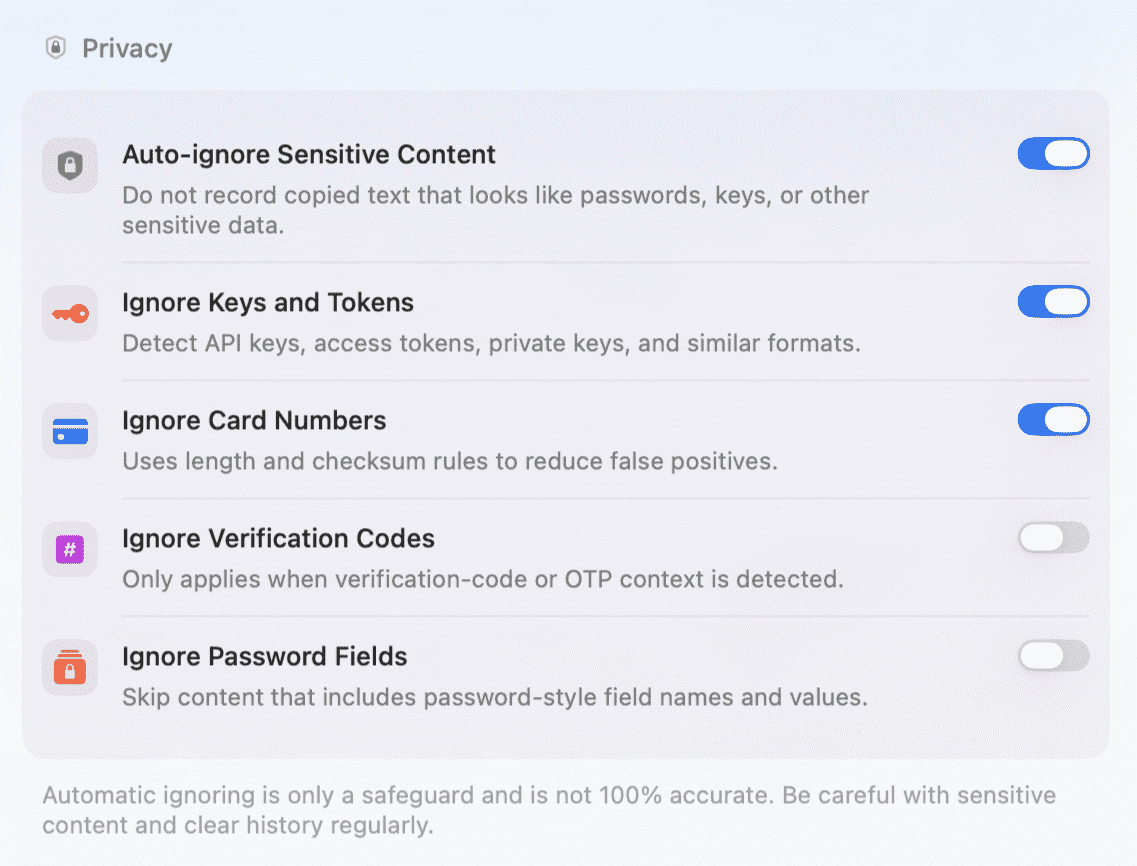
Clipboard history can contain sensitive information, so ScenesFlow keeps the controls visible and conservative.
Recent clipboard items are not shown directly in the menu.
Pause recording for 15 minutes, 1 hour, or until tomorrow; paused content is not backfilled later.
Sensitive-content detection is an auxiliary safeguard and is not guaranteed to be 100% accurate.
Link title and favicon fetching is off by default and skips local, intranet, and sensitive-parameter URLs.
Files, folders, and image files are stored as paths, not duplicated into a private file store.
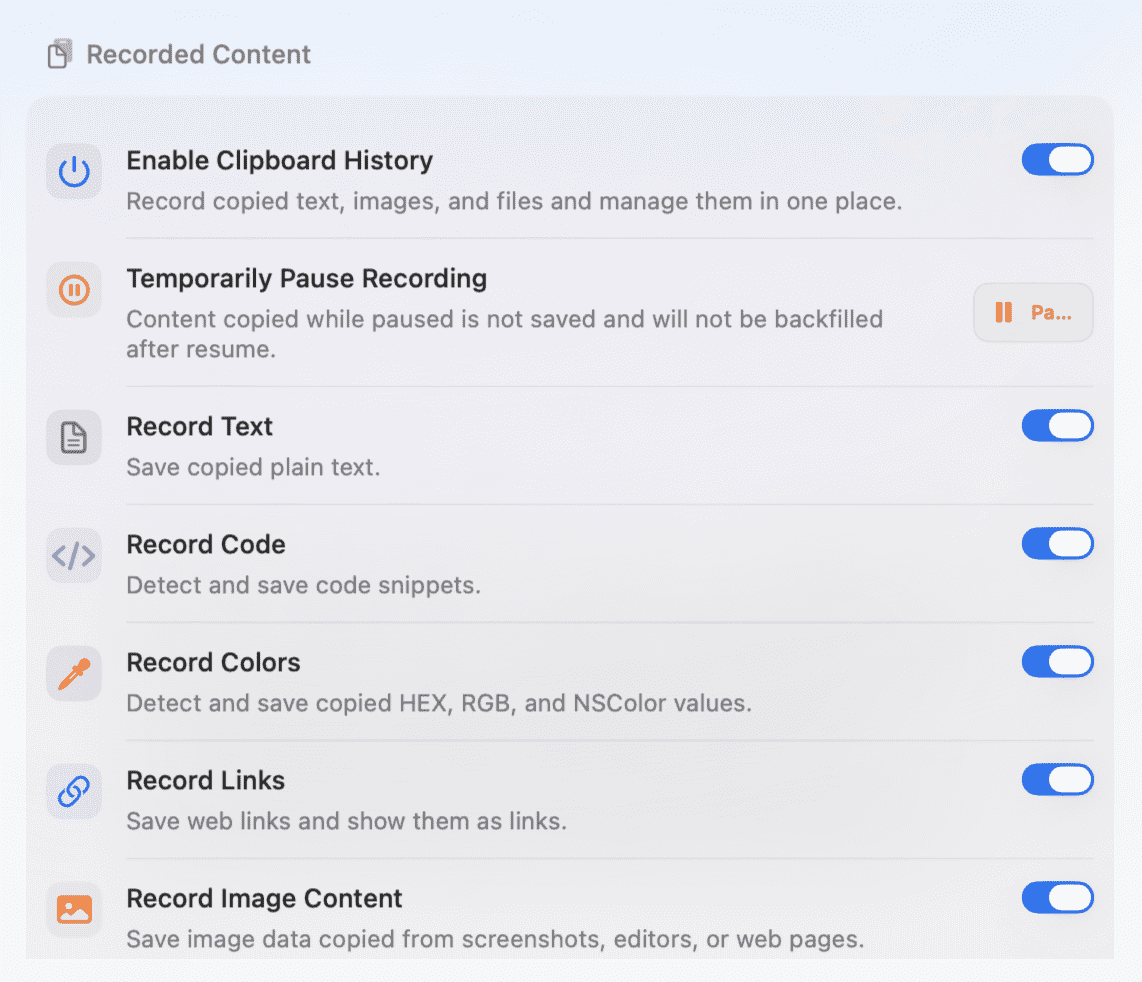
Enable only the content types you want, set retention limits, clean unused preview caches, and decide whether the panel should focus search or close after copying.
Turn clipboard history on or off, pause temporarily, and control text, code, colors, links, images, files, and folders separately.
Skip content from selected apps, with a reminder that source detection depends on the frontmost app at copy time.
Limit history to 50, 100, 150, or 200 items and auto-clean after 1, 3, 7, or 30 days.
Choose the default tab, search focus, copy-after-close behavior, feedback sound, haptics, and keyboard shortcut.
No. Clipboard history is stored locally on your Mac by default and is not uploaded to cloud services.
No. Content copied while recording is paused is treated as handled and will not be backfilled later.
No. Files, folders, image files, and file groups are stored as path references. Original files are not copied.
No. Title and favicon fetching is off by default and only runs after you enable it.